The Sony FX5 is not a stills camera that happens to shoot good video. It is a compact Cinema Line camera built around video from the start — and Nauticam’s new Sony FX5 underwater housing, the NA-FX5, follows the same logic.
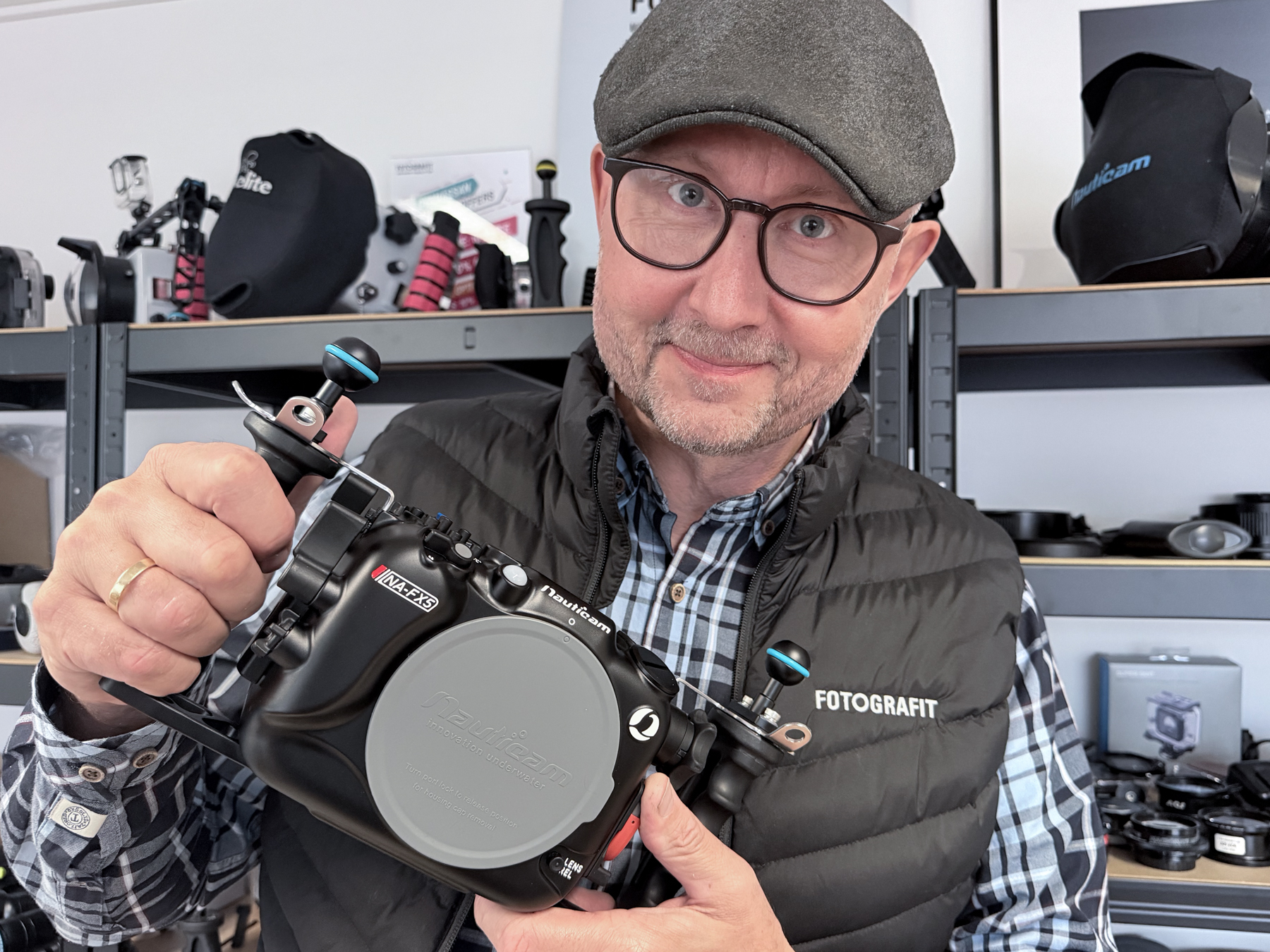
I have now had the housing in my hands, and what stands out is not simply that Nauticam has made an underwater housing for the FX5. The interesting part is how the controls, mounting points, connectivity and ergonomics have been arranged around the way a video shooter actually works underwater.
A cinema camera that finally fits into a compact underwater system
The FX5 uses a full-frame Exmor RS CMOS sensor and Sony’s BIONZ XR2 processing engine. It offers 15+ stops of latitude in S-Log3, internal X-OCN recording, 3:2 Open Gate, 5K recording up to 60 fps and 4K up to 120 fps. Sony has also given the camera three base ISO settings — 800, 4000 and 12800 — together with Dual Gain Shooting.
Those specifications matter underwater because available light changes rapidly with depth, direction and water conditions. A camera that can work cleanly across several useful sensitivity levels gives the underwater filmmaker more flexibility before artificial light becomes the only realistic option.
The body is also compact enough that Nauticam can build a housing that remains manageable rather than turning the complete rig into a small submarine.
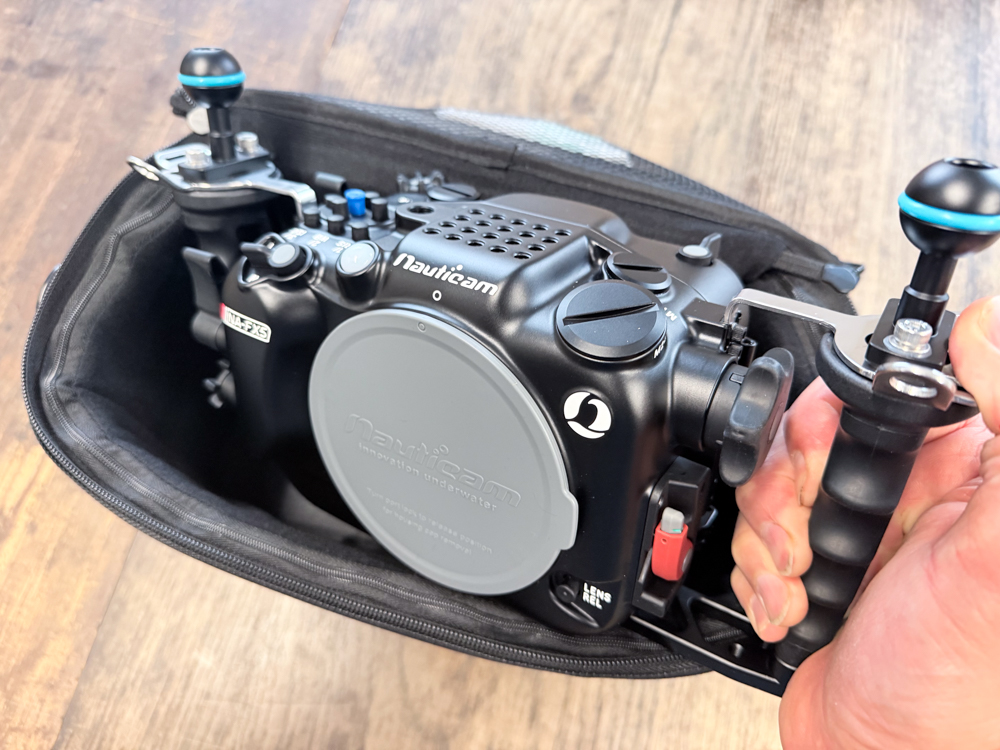
The Sony FX5 underwater housing is built around video operation
The NA-FX5 is machined from aluminium, depth rated to 100 metres and uses Nauticam’s N100 port system. With the camera and battery installed, Nauticam specifies the housing at approximately 0.3 kg negative in water.
But the more interesting part is the control layout. Video work is often about changing exposure, white balance, recording settings and focus behaviour while continuing to follow a moving subject. That means the most important controls need to be available without constantly taking your hands away from the handles.
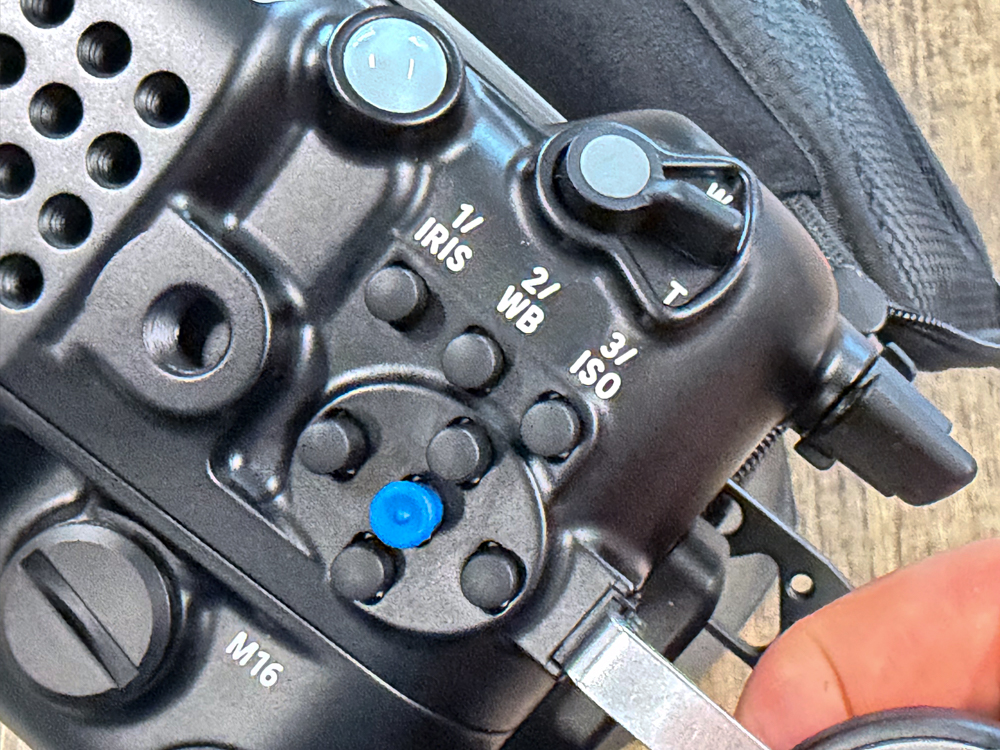
Direct access to Iris, White Balance and ISO
One of the clearest examples is the group of controls for Iris, White Balance and ISO. These are not buried in a generic menu operation. Nauticam has provided dedicated external controls around the FX5’s own layout, together with joystick access.
For underwater video this makes sense. Iris, white balance and ISO are three settings that may genuinely change during a dive as you move from open water to a wreck, from ambient light to video lights, or from a shallow scene into deeper water.
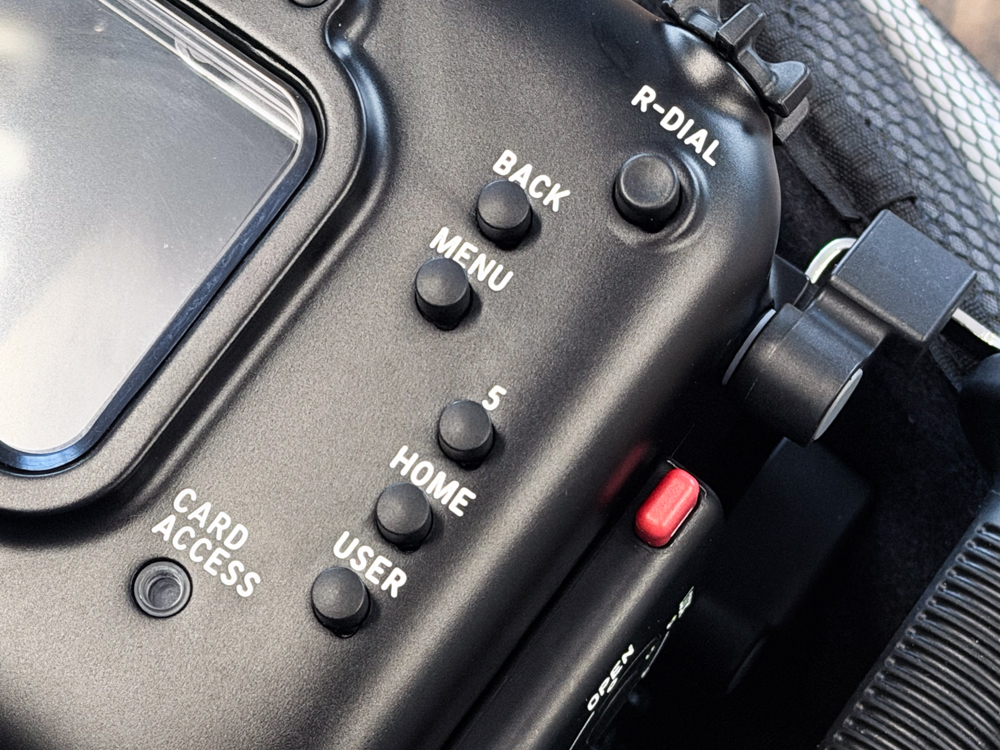
Menu, Back, Home, User and rear dial
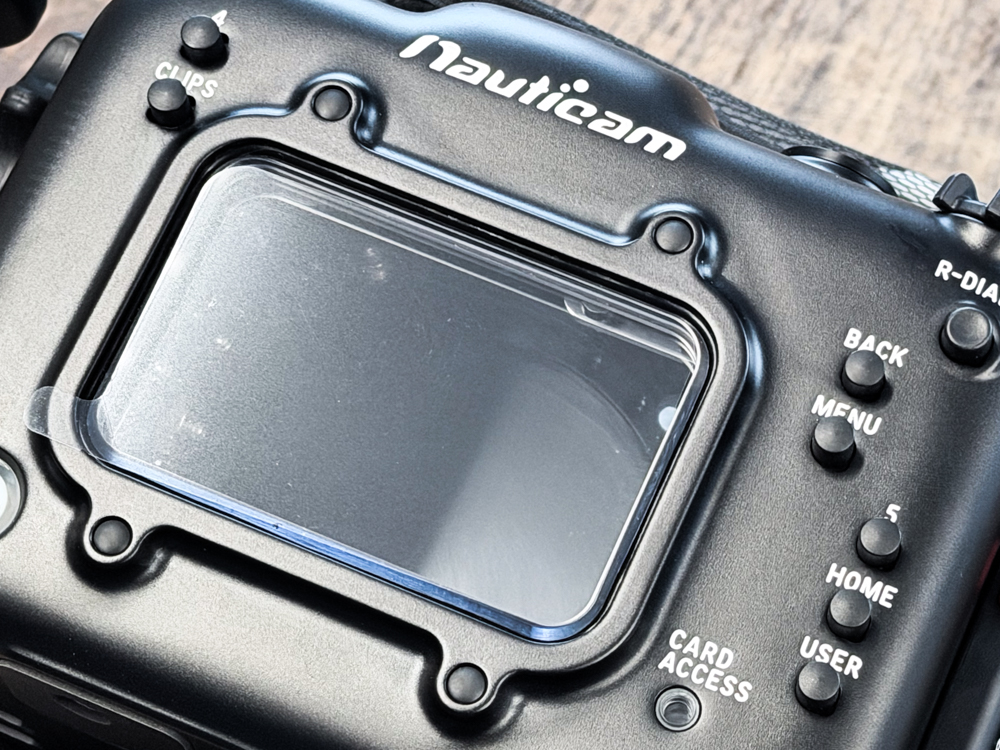
The rear of the housing gives direct access to the FX5’s menu navigation and custom functions, including Back, Menu, Home, User and the rear dial. This is an important difference between a housing that merely makes the camera usable and one that is designed to let you operate it properly.
The multifunction dial retains its click function, which means it can be used for changing values and navigating the camera in a way that remains close to normal topside operation.
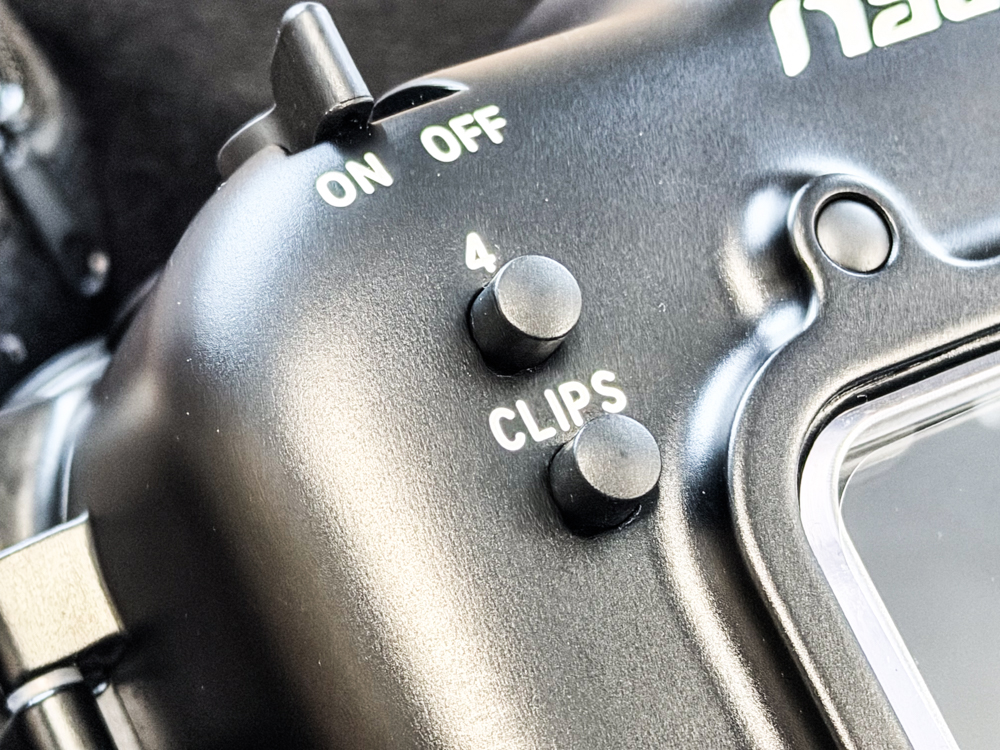
A dedicated CLIPS control
The separate CLIPS button is another small detail that tells you what kind of camera this is. The FX5 is designed for motion-picture workflow, and the housing gives access to that workflow rather than trying to simplify everything into a still-camera style control set.
A genuinely useful rear viewing window
The rear window is large, giving a clear view of the camera display and the information surrounding it. For video this matters more than it may first appear. Exposure tools, focus confirmation, recording status, codec information and other overlays are part of the normal shooting process, and a cramped or poorly positioned viewing window quickly becomes irritating underwater.
Lots of room for monitors, lights and accessories
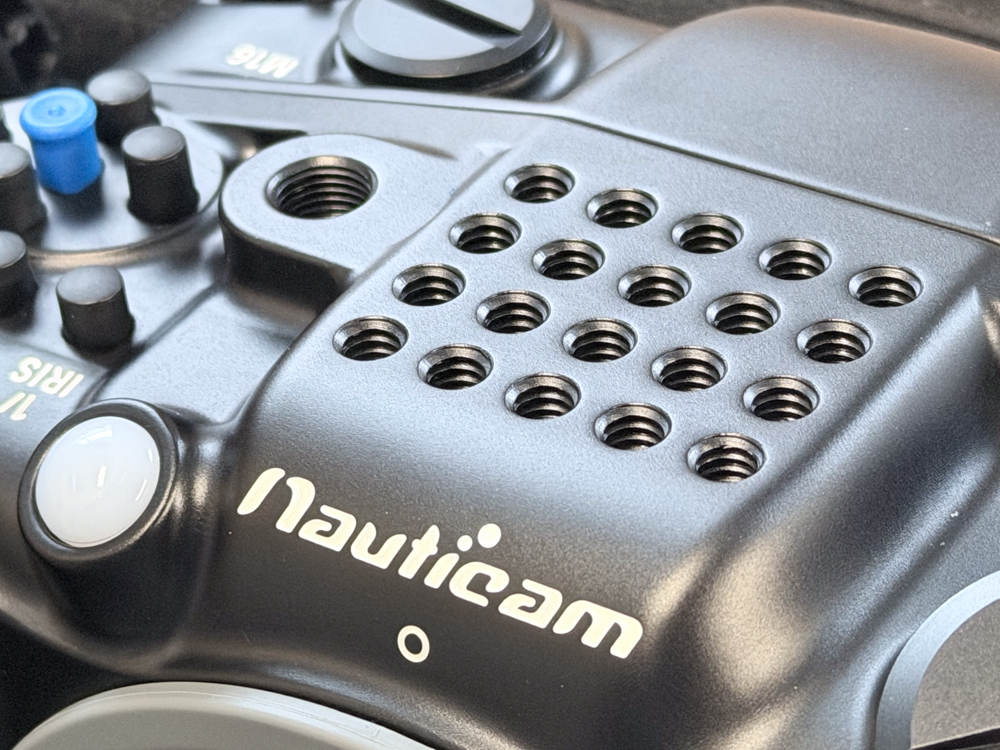
Nauticam has given the NA-FX5 twenty 1/4″-20 threaded mounting points plus an M10 mounting point. That is a lot of flexibility for a housing of this size.
This is particularly relevant for cinema-style use, where the housing may carry a monitor, video lights, an action camera, a top handle, buoyancy arms, tripod hardware or other accessories. Instead of forcing everything onto one or two fixed mounting points, the housing gives the operator freedom to build the rig around the job.
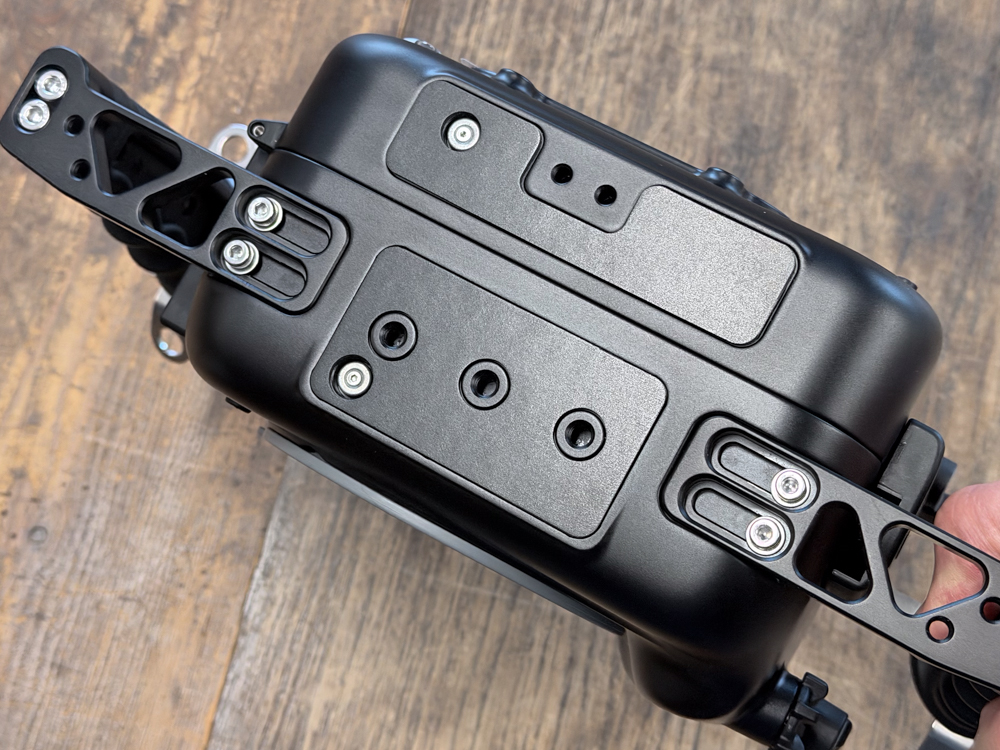
The upper section of the housing also provides multiple accessory mounting positions, making it straightforward to add hardware without having to improvise brackets.
M24 and M16 accessory ports
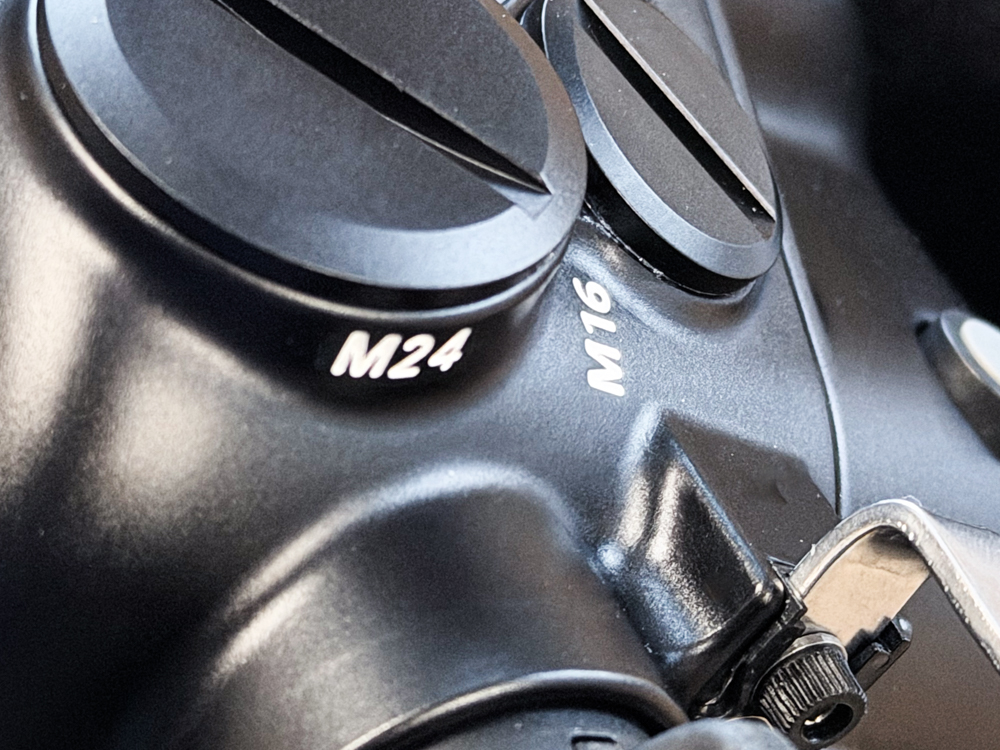
The housing has an M24 port and an M16 port on the front, plus an additional M16 port on the rear. These are not decorative extras. They are what make the NA-FX5 suitable for a serious video configuration.
The M24 port can be used for Nauticam’s HDMI systems, allowing an external monitor or recorder to be connected. An M16 port can be used for the optional Vacuum Valve II, while USB-C power delivery can also be configured through the available accessory ports.
This means HDMI monitoring and external power solutions can become part of the housing.
N100 port mount — and access to Nauticam’s optical system
The NA-FX5 uses the N100 port mount. That immediately opens the door to Nauticam’s established Sony full-frame port system, including conventional dome and macro ports as well as water-contact optics.
For existing Nauticam Sony users, that is particularly useful because much of an existing optical system can potentially move across to the FX5 setup rather than starting again from zero. N100-to-N120 adaptors are also available when an N120 configuration is required.
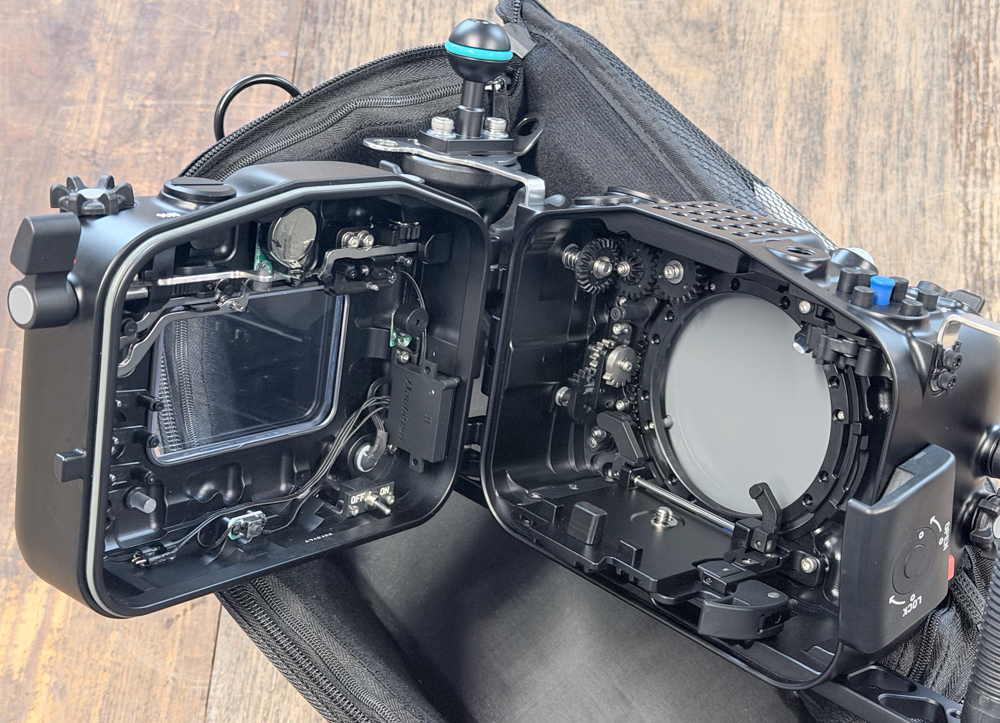
Inside: more mechanical engineering than electronics
Opening the housing makes the control philosophy much easier to understand. The FX5 controls are translated through a substantial mechanical system of levers, gears and linkages. The result is that almost all camera functions remain available externally.
Nauticam states that every camera function is accessible from outside the housing except the front Fn6 and front REC buttons. For a video housing, that level of control access is significant.
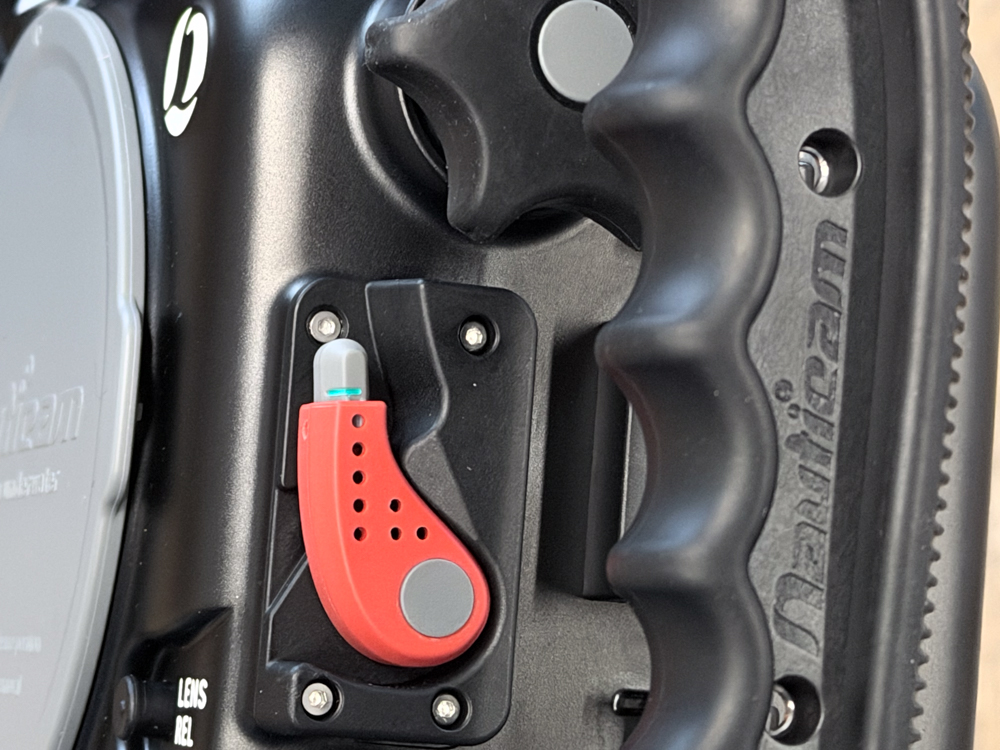
The red port-lock lever
Nauticam’s familiar port-locking system is retained. The red lever releases the port lock, while the port itself mounts without the threaded twisting action used by some housing systems.
It is a small feature until you start changing ports regularly. Then speed, a clear locked/unlocked state and reduced risk of cross-threading become rather attractive.
The handle and base construction
The handle system is reinforced with stainless-steel brackets, which is particularly relevant once the housing is carrying heavy video lights or a monitor. A video rig puts much more leverage on its handles than a minimal still-photo setup.
The underside also provides several threaded mounting points for tripod plates and other support hardware. That matters if the housing is used for static sequences, macro video, remote work or simply as part of a larger cinema rig.
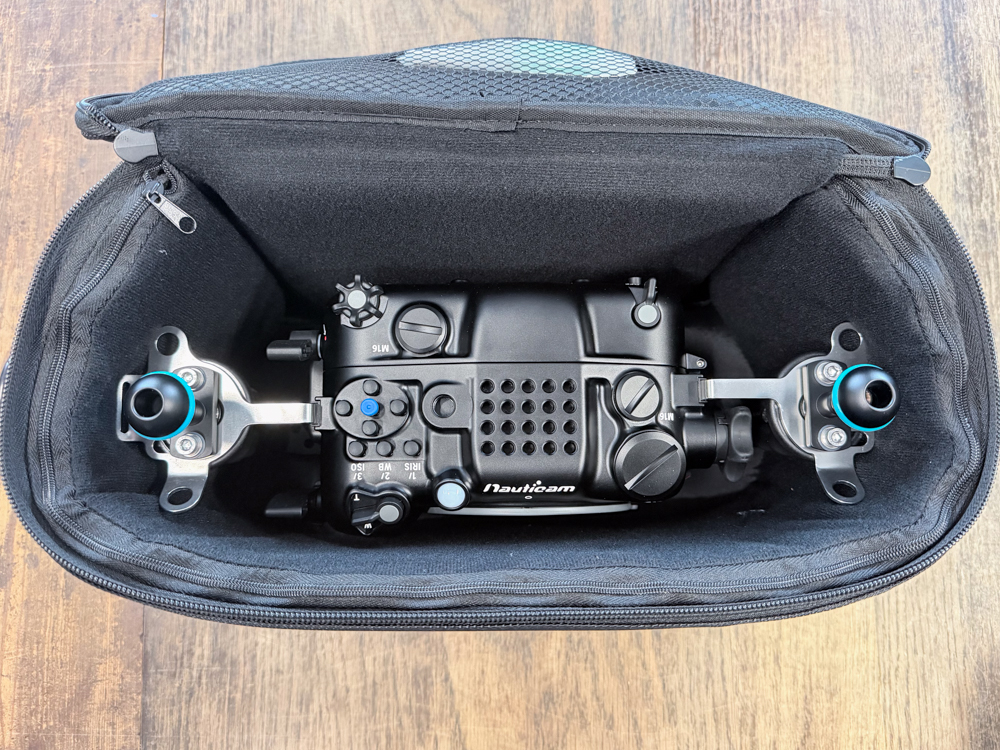
It even fits neatly into the supplied padded bag
The complete housing is still compact enough to sit neatly in the supplied padded carrying bag with the handles attached. That may sound like a minor point, but travel and transport become important very quickly once a video setup grows into lights, monitor, arms, optics, batteries and chargers.
My first impression
The Sony FX5 and Nauticam NA-FX5 make sense as a pair. The camera is designed around video, and the housing does not try to turn it into something else.
The dedicated exposure controls, extensive custom-button access, large viewing window, large number of mounting points and proper HDMI/USB-C connectivity all point in the same direction: this is a housing intended to be built into a working underwater video system.
For a diver coming from a hybrid mirrorless camera, the biggest difference is not necessarily image quality alone. It is workflow. The FX5 offers a much more cinema-oriented way of working, and the NA-FX5 preserves that workflow surprisingly well underwater.
NA-FX5 key specifications
- Housing: Nauticam NA-FX5
- Nauticam SKU: 17441
- Compatible camera: Sony FX5
- Port system: N100
- Depth rating: 100 m
- Dimensions: 320 × 184 × 124 mm
- Weight in air: approximately 2.1 kg
- Buoyancy: approximately 0.3 kg negative in water with camera and battery
- Accessory ports: front M24 × 1, front M16 × 1, rear M16 × 1
- Mounting points: twenty 1/4″-20 plus one M10
- HDMI support: HDMI 2.0 / 1.4
- Vacuum and leak detection electronics: included; optional M16 Vacuum Valve II required to create the vacuum
Camera and housing specifications referenced from Sony and Nauticam. Hands-on observations and photographs by Lars Kirkegaard / FOTOGRAFIT.